For developers
Built to be connected
Three things connect Mica to the tools you already use: a two-way Linear connector, an MCP server for Claude and ChatGPT, and an Assistant that runs on your own API key. A way for outside developers to build connectors is on the roadmap, and not open yet.
Connector
Linear, two-way
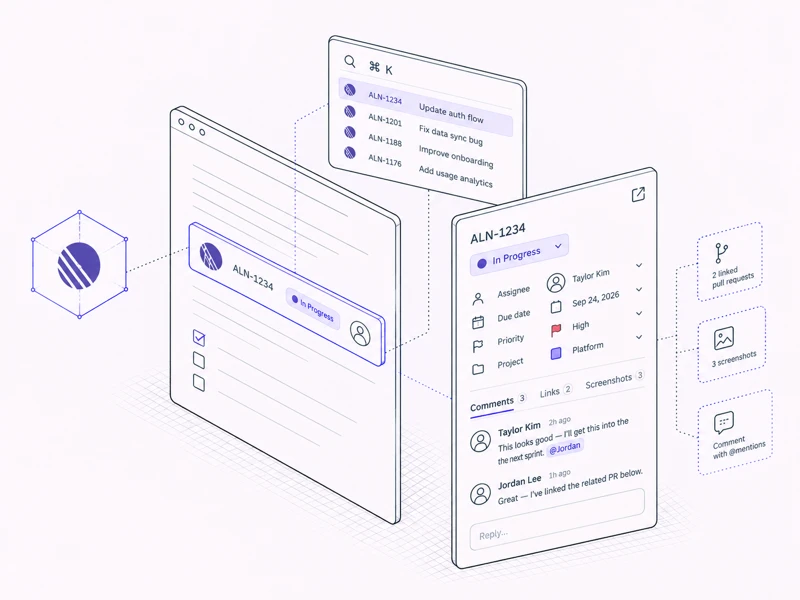
An account admin connects a Linear workspace once. From then on any Linear link in any doc renders as a live chip, and the preview panel lets you act on the issue from inside Mica.
- Change status, priority, owner, due date and project; reply in comment threads with @-mentions; see linked pull requests and screenshots
- Cmd+K picks an issue by its identifier, and chips show live status in Linear's own colors
- Nothing is written into the document. Posting a comment sends Linear the doc's name and a link back to it
MCP server
Your docs, available to Claude and ChatGPT
Mica's remote MCP server works with Claude on claude.ai, in the desktop app and in Cowork, and with ChatGPT. It acts as you, under your own Drive permissions, and you can revoke it under Account → Connections.
- 14 tools: list and search folders, docs and tags; read, create, edit and share docs; upload images; list revisions
- Resources for docs, folders and tags, plus prompts for meeting minutes, a weekly rollup and tending a folder
- Scopes of read, write or share, chosen when you connect. Every agent edit shows in version history, marked via agent
Assistant
Chat with your own key, or hand off
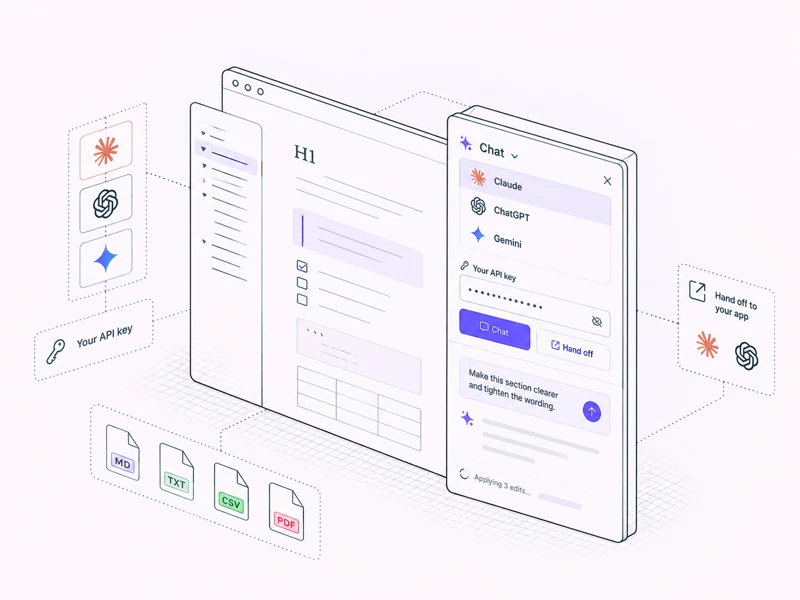
⇧⌘K opens a panel beside the document. Chat in Mica calls Claude, ChatGPT or Gemini directly from your browser with your own API key. Hand off opens your Claude or ChatGPT app instead, which edits through MCP.
- Keys and transcripts stay on your device; transcripts expire after 14 days
- Edits are small and undoable, and collaborators see them live
- Works on markdown, text, CSV and PDF files
How it is built
Connectors never see your document
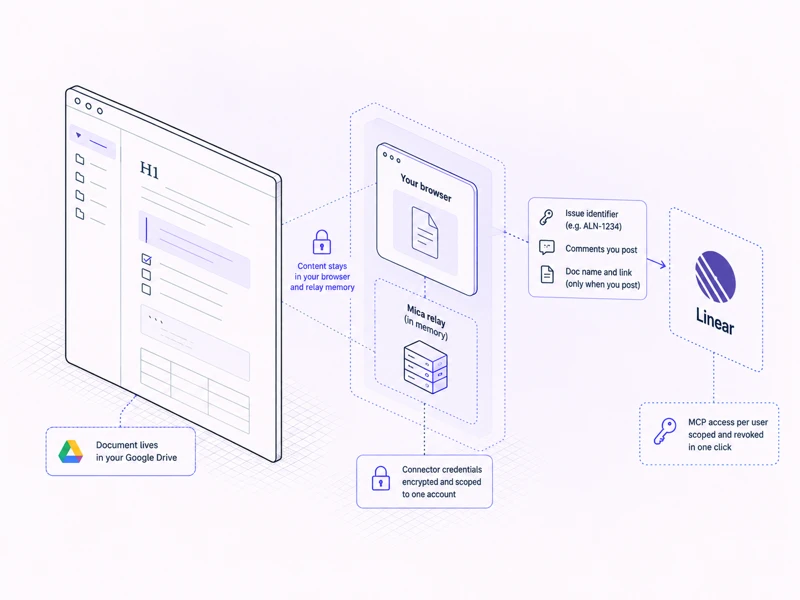
A connector only receives the identifier you linked and what you choose to post. Document content lives in your Google Drive and, during a live session, in your browser and the relay's memory. Mica's servers never store it.
- Connector credentials are stored encrypted and scoped to one connected account
- Linear sees issue ids, the comments you post, and the doc name and link attached to a comment
- MCP access is granted per user, scoped, and revoked in one click
What is next
A path for outside developers
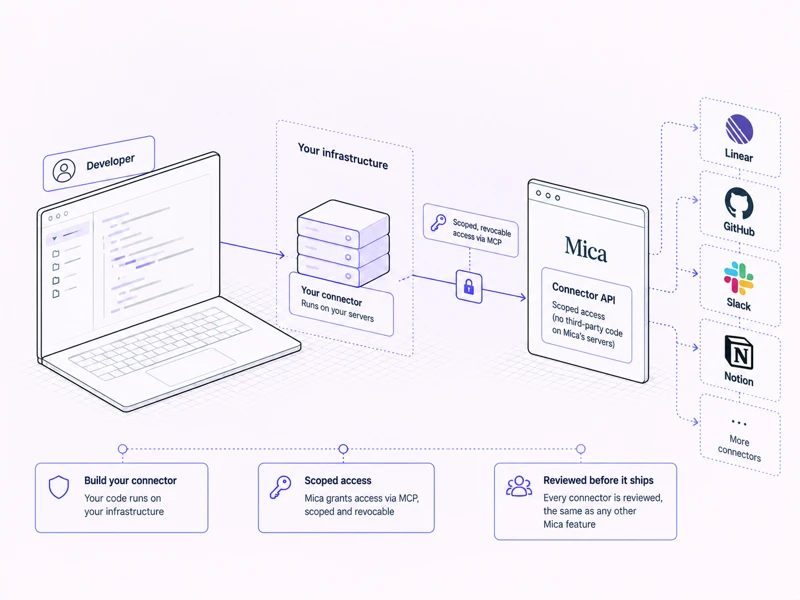
Today's connectors are built and operated by Mica. The plan is to open the same shape MCP already uses: your code runs on your own infrastructure and Mica grants it scoped, revocable access, rather than running anyone else's code on Mica's servers. There is no SDK or submission form yet.
- Modeled on MCP: scoped, revocable, and no third-party code on Mica's servers
- Every connector is reviewed before it ships, the same as any other Mica feature
- Updates will appear here first